What is an API key?
An API key is like a private password between an app and an online service. It tells the provider which account is making a request, so the provider can process it and assign any usage to that account.
BYOK setup guide
Bring your own key (BYOK) lets Intake use an AI provider account that belongs to you. Choose OpenAI, Claude, or Gemini, paste your key once, and you can use basic AI food logging without an Intake AI subscription.
Provider, optional model name, API key—that is all Intake needs.
An API key is like a private password between an app and an online service. It tells the provider which account is making a request, so the provider can process it and assign any usage to that account.
AI providers measure usage in tokens: small pieces of text sent to and returned by a model. A short meal description uses fewer tokens than a long conversation or a detailed photo analysis.
An API account is separate from consumer subscriptions such as ChatGPT Plus or Claude Pro. Follow your chosen provider’s billing instructions if it asks you to add credits or a payment method.
Step 1
Open the official key page, sign in or create an account, then create a new secret key. Copy it immediately—the provider may show the complete key only once.
Uses your OpenAI API account and its current usage pricing.
Create an API key with OpenAIUses your Claude API account and its current usage pricing.
Create an API key with ClaudeGoogle currently offers a limited free tier for certain models and regions. Limits and availability can change.
Create an API key with GeminiSteps 2–5
You only need to configure this once. You can return to Settings later to change the provider, model, or key.
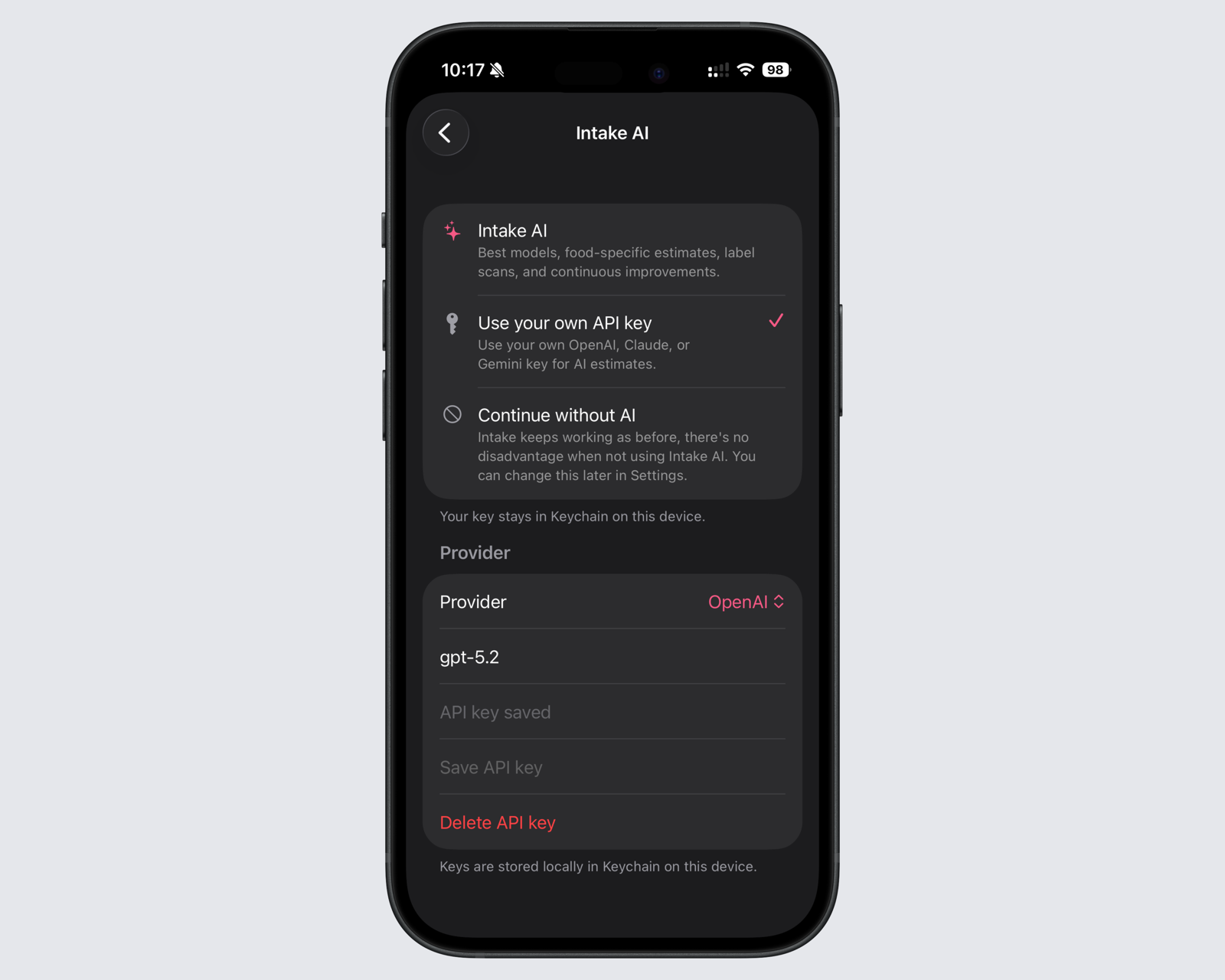
In Intake, open Settings and choose Intake AI, then select the option to use your own API key.
Select the same provider you used to create your key. A key from one provider cannot be used with another.
Intake sets a suitable default model for every provider. The model name is optional—only change it when you know the exact supported model name you want to use.
Paste the complete key without adding spaces. Save the settings, then send a short meal description to check that everything works.
Step 2
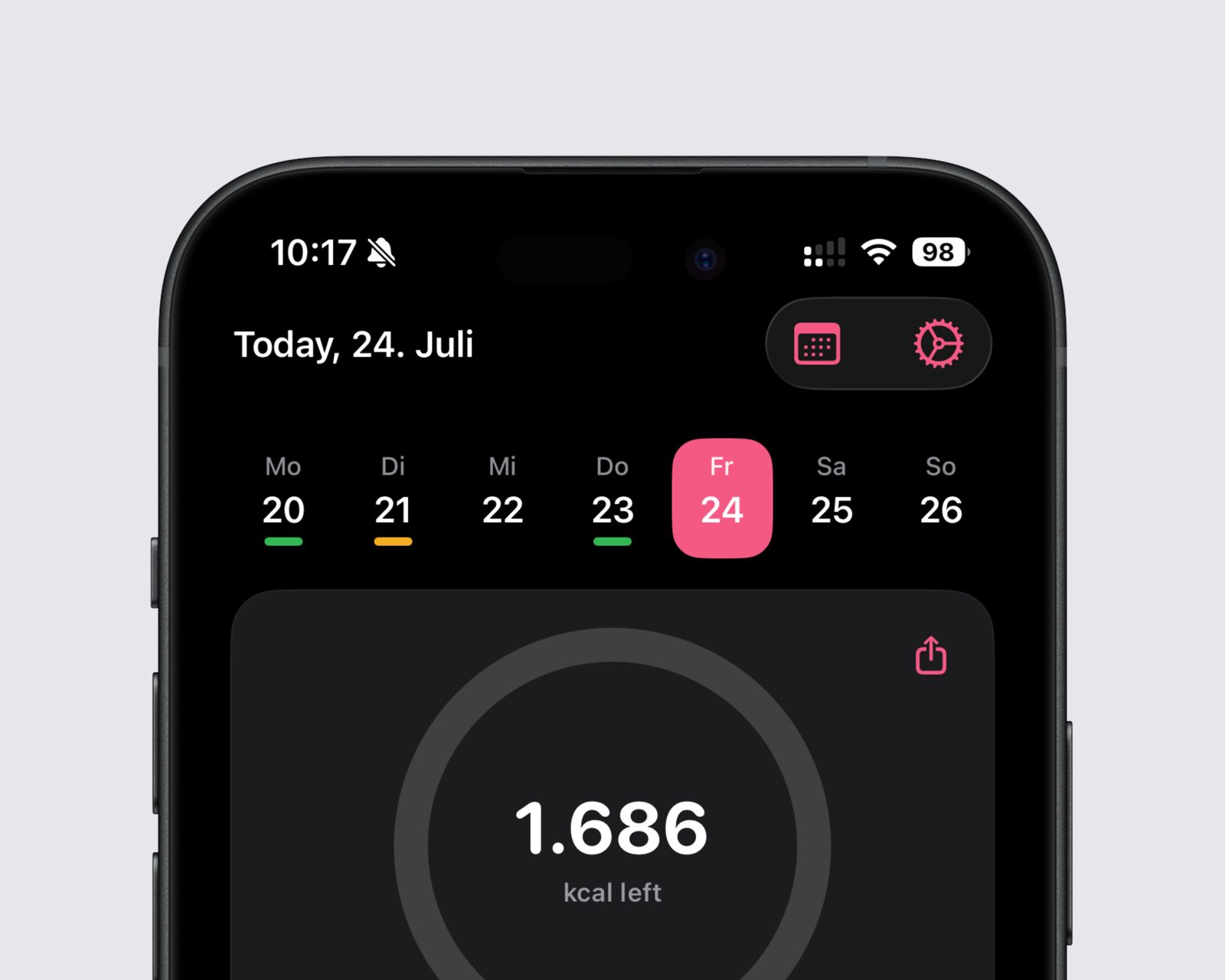
Tap the gear button in the top-right corner of the Intake dashboard.
Step 3
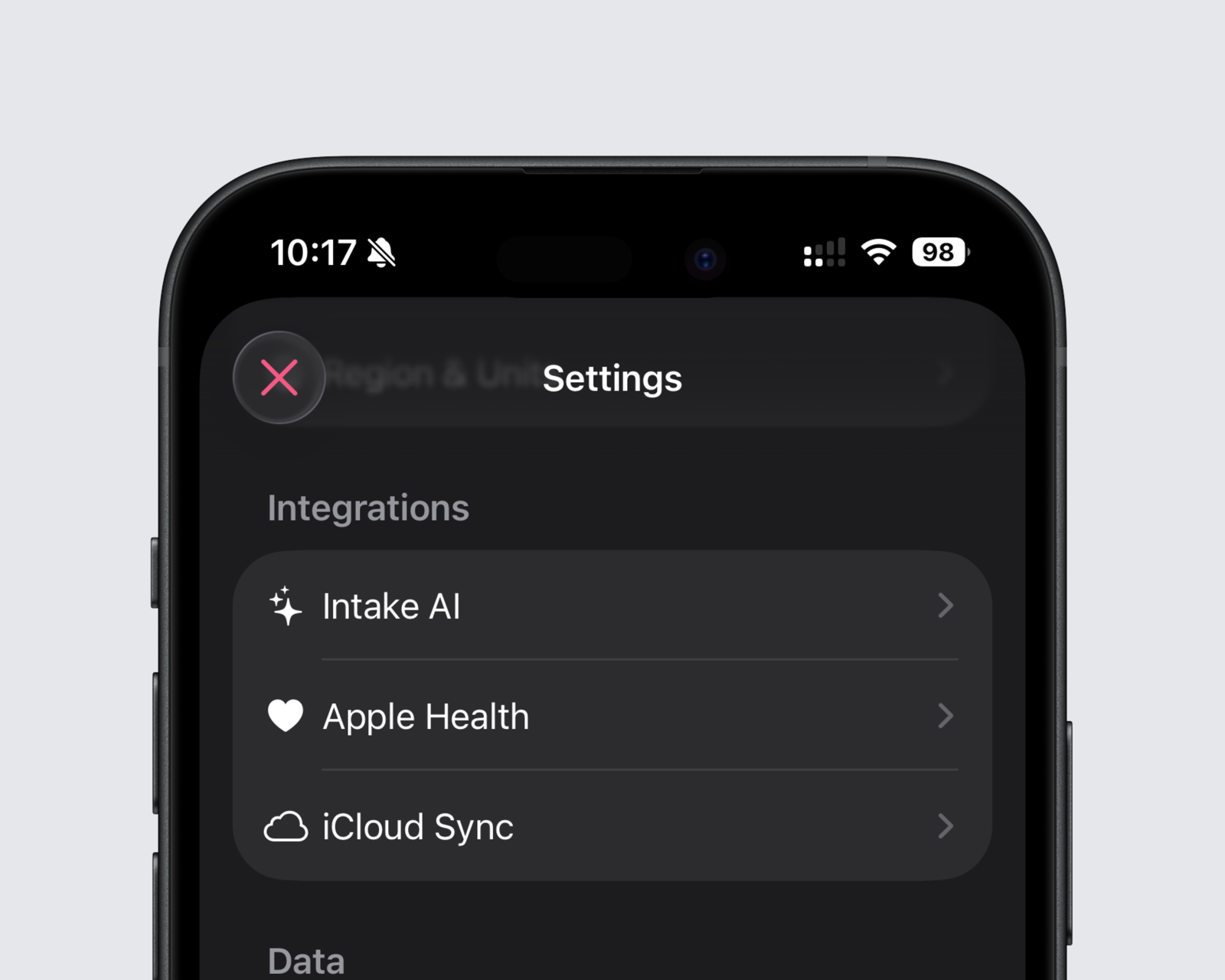
Under Integrations, tap Intake AI to open its settings.
Steps 4–5
Choose your provider, keep or change the model, then enter and save your API key.
Your API key is stored securely only on your device. The key itself never leaves your device and is never sent to or stored by Intake.
When you use BYOK, Intake sends your food request directly from your device to the provider you selected. The provider processes that request under its own terms and privacy policy.
BYOK has no Intake AI subscription charge. Your provider may charge for the API usage it processes, usually based on input and output tokens. Some providers require prepaid credits or billing setup, so check their current terms and pricing.
Gemini currently has a free tier for certain models and regions. It has usage limits and may be changed or withdrawn by Google in the future.
Create a new key, copy the complete value, and make sure the selected provider matches the key.
Open the provider’s billing page. Your API account may need credits, a payment method, or an active billing project.
Clear the custom model field to return to Intake’s default, or check the exact current model name in the provider’s documentation.
The free-tier request or token limit may have been reached. Wait for the limit to reset or review the current quota in Google AI Studio.
Start with a simple request, review the AI estimate, and correct anything that does not look right before saving it.