Back to overview
Version 2.8.2
What's new in Intake 2.8.2
See water and activity at a glance, enjoy a new design on Apple Watch, and get Stats that add up with the weekly budget.
New
Both platforms
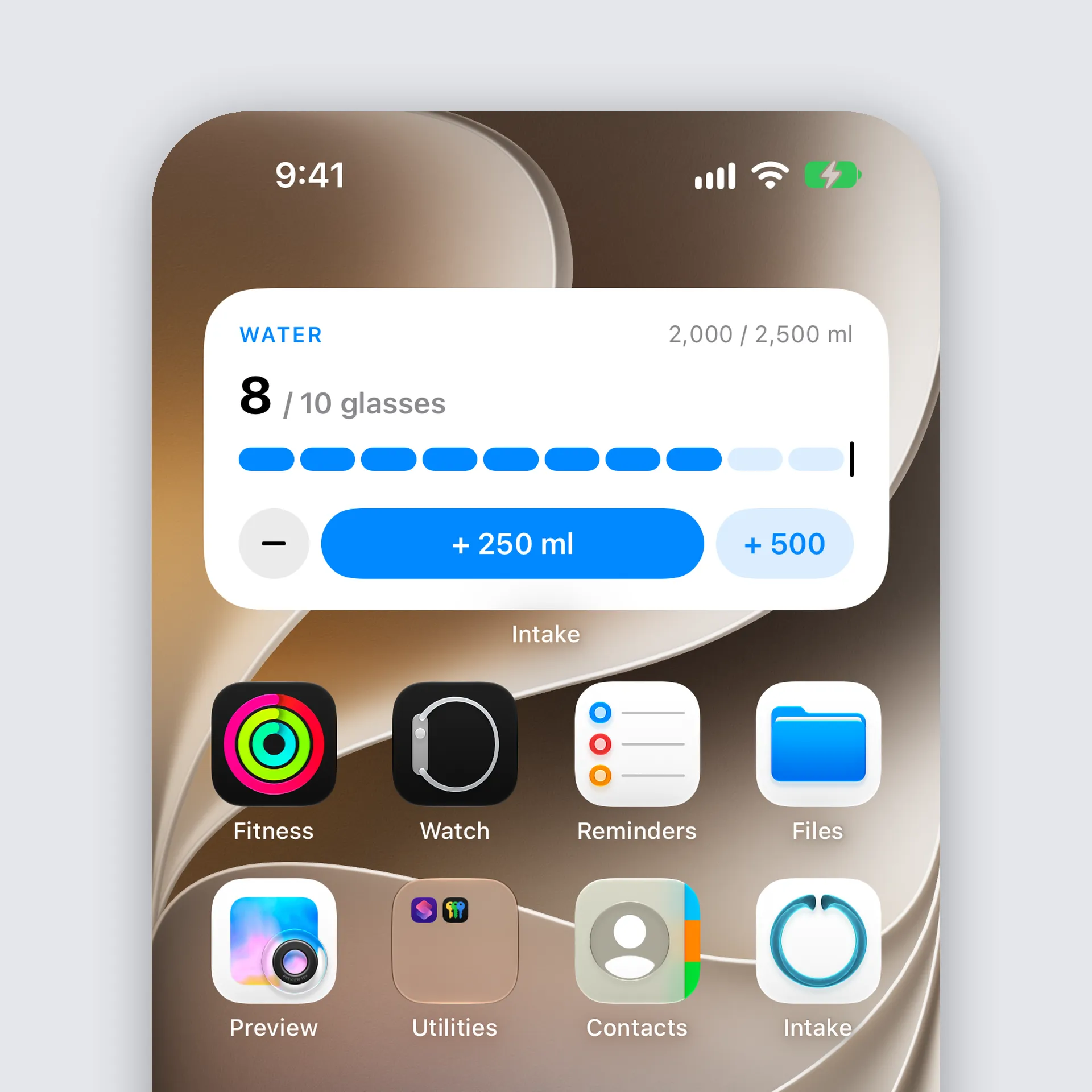
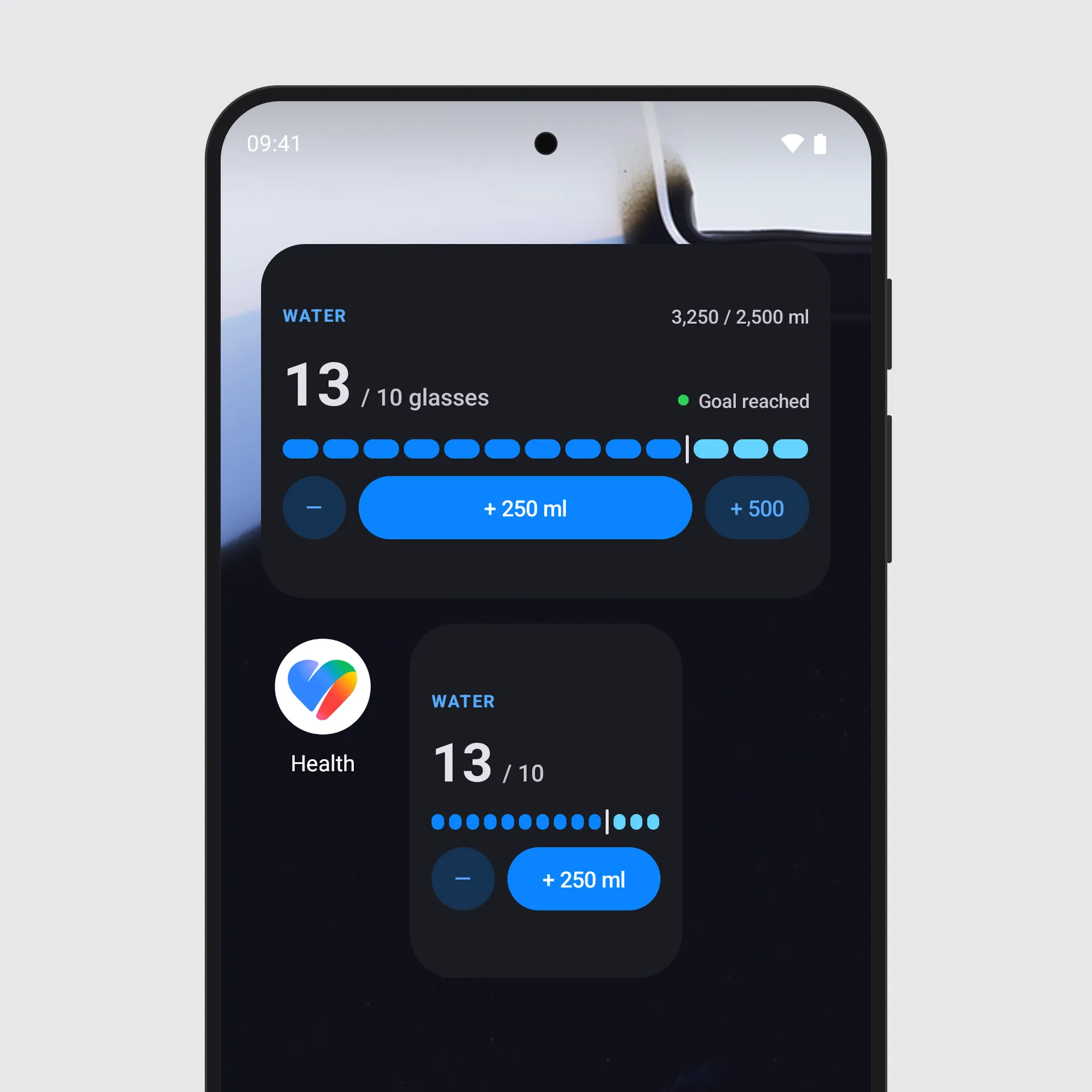
- Water at a glance. The water card is fresher and more compact. Every glass counts, even past your goal, and you log one or two glasses with a single tap.
- Activity, clearly explained. The activity card shows first how many calories your activity adds to today’s goal.
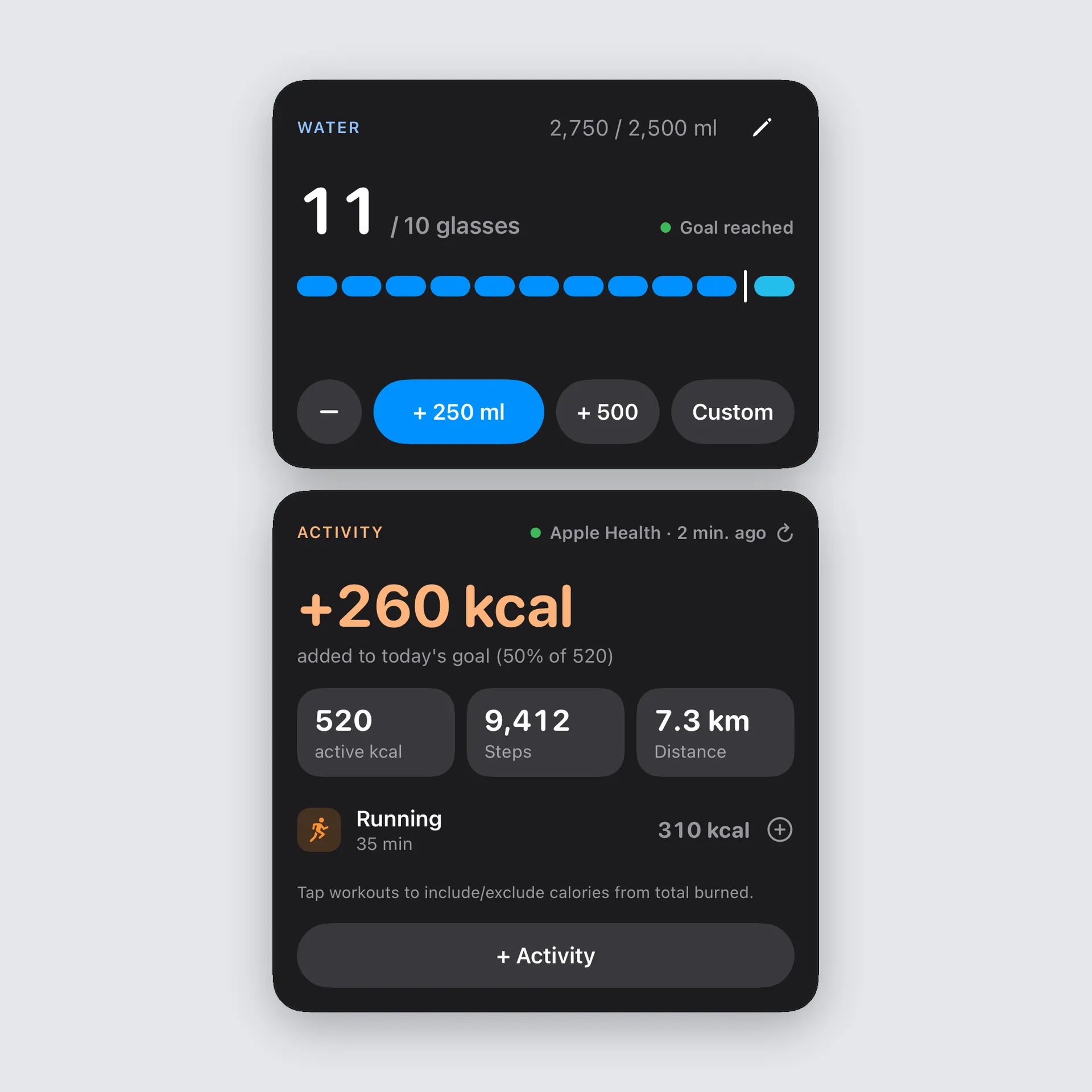
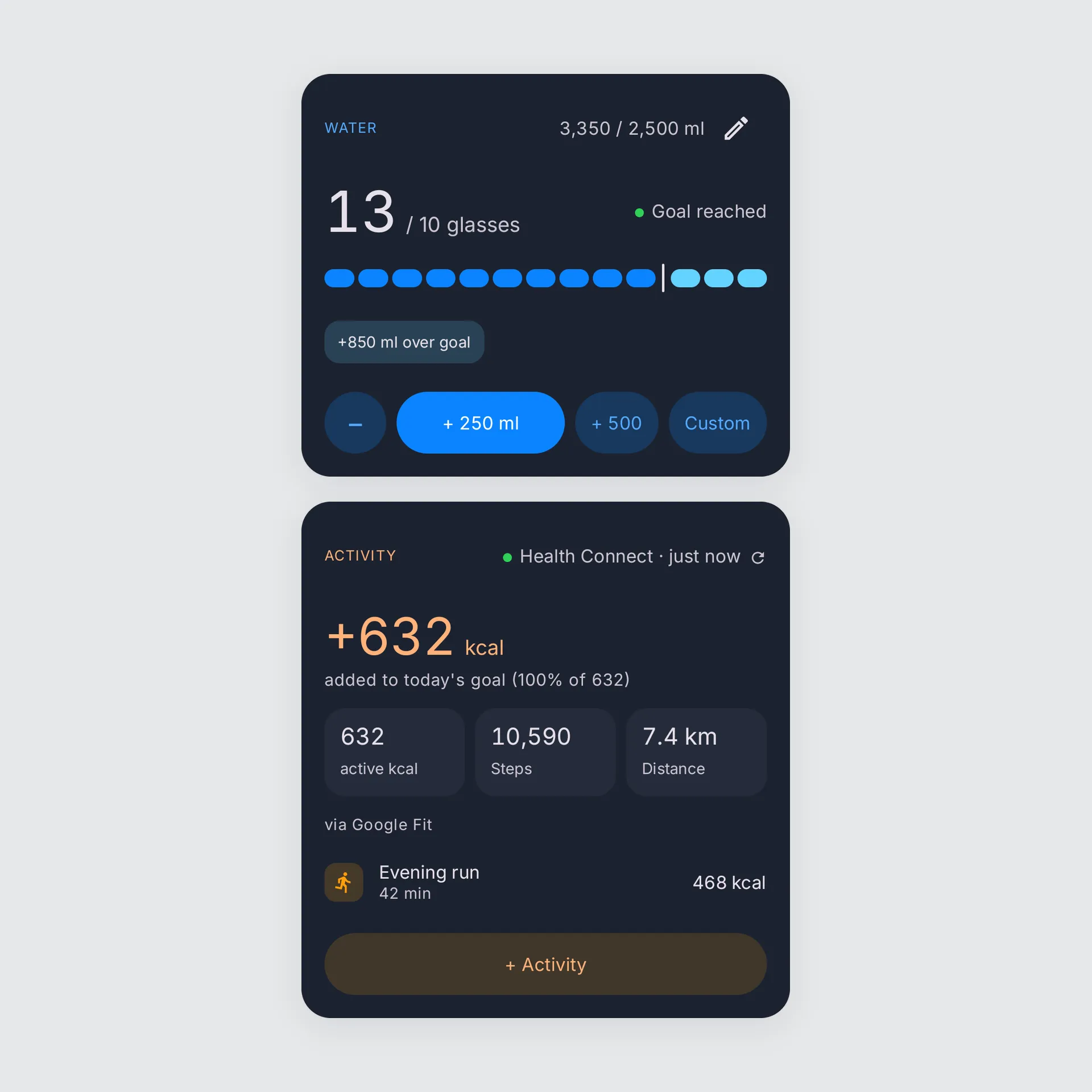
- The water widget, redesigned. The water widget now looks like the card: your glasses against your goal, also past it, and a tap adds a glass.
iOS
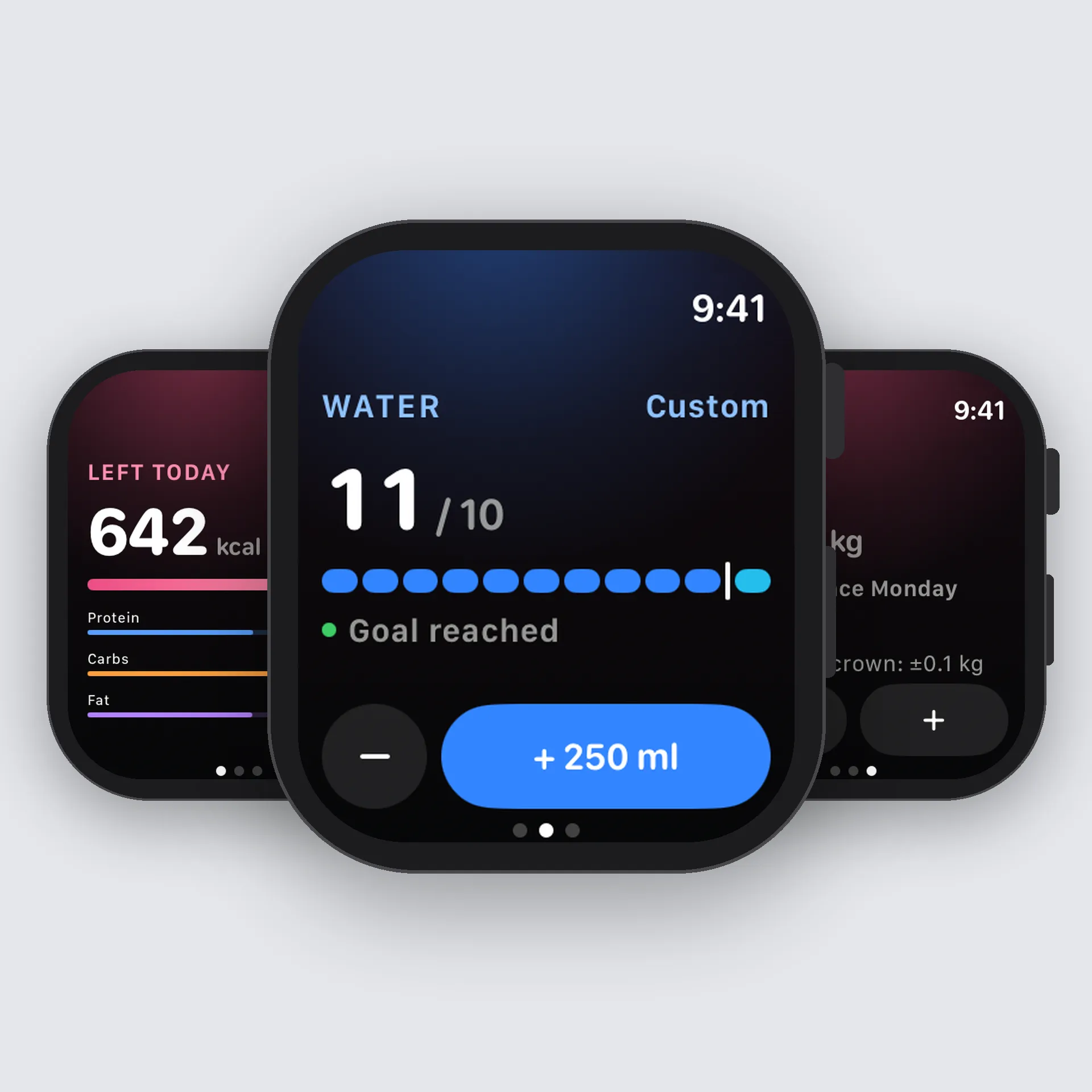
- A new design on Apple Watch. The watch app is calmer and more modern. You set your weight with the Digital Crown, and Intake fits on every watch face, including a Smart Stack card that logs a glass of water with one tap.
Bug fixes
Both platforms
- Stats add up. Calories you move with the weekly budget count once in Stats, days without entries no longer count as a deficit, and your weight history starts at your start date.
- Calories from the other days. Even if your daily goal is below your basal metabolic rate, you can take calories from the other days for today.
- Your own Claude key. With your own Claude key, Intake AI reliably returns a result, with Haiku too.
iOS
- Your macro goals stay. Custom macro goals stay as you set them on all your devices.
- Edit, then log. Correct the values of a scanned product and you can log it right away.
- Sodium in Apple Health. Sodium reaches Apple Health with the right value, also for foods that only list salt.
Android
- Every glass counts. The water glass count keeps going after you reach your goal, in the app and in the widget.
- Send a submission again. A submission that couldn’t be sent opens with a tap, so you can check it and send it again.
As always, you can find the full changelog here.
Thank you for using Intake.
Tobi